Script to Reel: How to Write Video Scripts an AI Can Edit For You
There's a new writing skill nobody teaches yet: learning how to write a video script for AI to edit. When an AI editor is matching your lines to your actual footage, the script isn't just what you say over the video — it's the edit instructions. A vague line gives the AI nothing to grab onto. A concrete line tells it exactly which clip belongs there. This guide covers how to write lines that hook viewers and match footage, with before/after rewrites so you can see the difference in the final cut.
Why AI Editing Changes How You Script
Traditional short-form scripting optimizes for one audience: the viewer. You write a hook, a payoff, maybe a CTA, and then you spend an hour in a timeline dragging clips under each line yourself. Tools like ClipMatch flip that workflow: you upload the clips you already have, write what happened line by line, and the AI matches each line to the best clip and assembles the vertical video. No timeline. But that means your script now has two readers — the viewer scrolling past, and the AI deciding which clip goes where.
Writing for both readers is the core of how to write a video script for AI. The good news: what works for the AI usually works for the viewer too. Specific, sensory, visual language is more engaging AND more matchable. 'We got caught in the rain at the night market' beats 'the trip was chaotic' on both counts — a viewer can picture it, and the AI can find the clip of you soaked under a food stall awning.
The Golden Rule: One Line, One Visual
Every line in your script should describe one thing a camera could see. That's the whole rule. If you can't imagine a single specific shot for a line, the AI can't either — and it will fall back to a guess, which is where mismatched edits come from.
Run each line through this test before you submit your script:
Nameable subject: is there a person, object, or place in the line? 'The pasta place near the canal' matches; 'dinner was amazing' doesn't.
Visible action: is something happening? 'Hiking up the last switchback' matches; 'it was exhausting' doesn't.
One moment per line: 'We rented scooters and then found a beach and then it rained' should be three lines, because it's three clips.
No pure abstraction: feelings, verdicts, and summaries ('unforgettable', 'total disaster', '10/10') have no footage. Attach them to a moment or cut them.
This is the single biggest lever in writing a script for ai video editor tools. Master this and the rest is polish.
Before and After: Rewriting a Vague Script
Here's a real-world style example — a 3-day trip recap. First, the version most people write, then the rewrite, and what actually changes in the matched footage.
Before: the vague version
This trip was absolute chaos.
Day one did not go as planned.
But honestly? Best decision ever.
The food alone was worth it.
Already planning the next one.
Every line is a verdict, not a moment. An AI matching this has almost nothing to work with — 'chaos' might pull a random busy street clip, 'the food' might grab the wrong meal, and 'best decision ever' could land on literally anything. You'd get a technically assembled video that feels randomly shuffled.
After: the concrete version
We landed in Taipei with no hotel booked and one dead phone.
Got caught in the rain at the night market — everyone crammed under one awning.
Found a tiny beef noodle shop with six seats and a line out the door.
Sunrise from Elephant Mountain, still in yesterday's clothes.
Booking flights back before we even got to the airport.
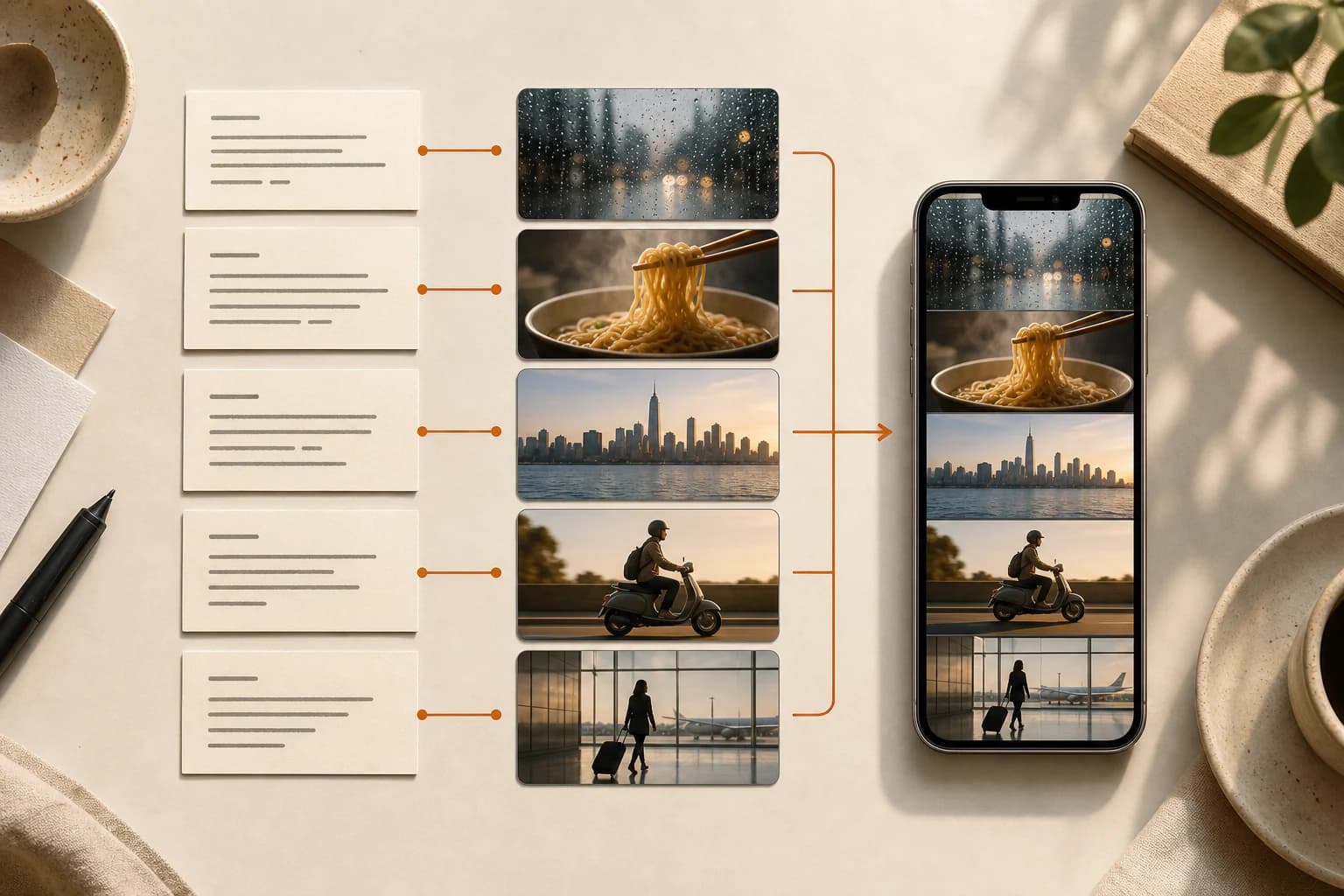
Same story, same energy, same runtime. But now every line names a place, an action, or an object that exists in your camera roll. The rain line matches the awning clip. The noodle line matches the food close-up. The sunrise line matches the skyline shot. The edit assembles itself correctly on the first pass — and as a bonus, the script is just better writing. Specific details are what make viewers stop scrolling.
A Reel Script Template That Matches Footage
If you want a reusable reel script template, this five-part structure works for recaps, tutorials, day-in-the-life, and transformation content. Aim for 8 to 12 lines total, roughly 2 to 3 seconds of footage each, for a 25 to 40 second video.
Hook (1-2 lines): open with your most visual moment, not context. 'We got kicked out of the first hotel' beats 'Come with me to Lisbon.'
Setup (1-2 lines): the minimum context needed — who, where, why. Keep it concrete: 'Three of us, one rental car, zero plans.'
Beats (4-6 lines): the moments, one visual per line, in the order you want them to appear. This is where the golden rule does its work.
Turn (1 line): the surprise, fail, or payoff moment. Give it your best clip by describing that clip precisely.
Close (1-2 lines): land the feeling, but anchor it to an image: 'Last ferry home, sunburned and broke' instead of 'What a day.'
Notice the template never asks for a 'theme statement' or a 'summary section.' Those are essay structures. Short form script structure is a sequence of moments — the meaning emerges from the order, not from you announcing it.
Five Video Script Writing Tips Specific to AI Editing
These video script writing tips assume the AI is doing the assembly, so they're about making its job unambiguous:
Write in shot order, not chronological order. The AI assembles clips in your line order, so if you want the fail before the win, write it that way.
Front-load nouns. 'The dog stole the sandwich' matches faster and more reliably than 'What happened next involved our dog.'
Mention what's distinctive in the clip. If your best shot has a red umbrella in it, put the red umbrella in the line.
Match line count to clip count, roughly. Ten lines against four clips forces repeats; a 1:2 or 1:3 line-to-clip ratio gives the matcher good options.
Read it aloud once. If a line takes more than 4 seconds to say, split it — long lines make long static shots, which is where short-form retention dies.
Where This Workflow Fits (and Where It Doesn't)
Script-first assembly is built for speed: recaps, storytimes, listicles, tutorials — anything where the edit is 'right clip, right order, captions on top.' In ClipMatch that whole loop is paste script, review matches, optionally record a voiceover, and export with auto captions in a vertical crop — at $2.99 per finished video with the first three free, it's cheap enough to treat the scripting itself as the craft.
Be honest about the boundary, though: if your video lives on keyframed zooms, beat-synced transitions, or heavy effects work, a manual editor like CapCut is still the right tool. Script-to-video shines when the writing carries the video and the edit just needs to keep up. For a lot of creators, that's 80% of their output — and it's the 80% that used to eat their evenings.
FAQ
How long should a script for an AI video editor be?
For a 30-second Reel or Short, 8 to 12 lines at 10 to 20 words each. Spoken pace is roughly 2.5 words per second, so a 90-word script lands around 35 seconds — a good target for retention.
Do I write the script before or after filming?
Either works, but scripting after filming (or after reviewing your camera roll) is easier when you're learning: you're describing clips that definitely exist. Once you've internalized what matchable lines look like, you can script first and shoot to the script.
What if a line matches the wrong clip?
Rewrite the line before you re-edit anything. Nine times out of ten the line was ambiguous — two clips both plausibly fit it. Add the detail that only appears in the clip you want ('the blue kayak', 'at night', 'in the kitchen') and rematch.
Does this style of writing hurt the hook?
The opposite. Hooks fail when they're generic, and generic is exactly what an AI can't match. The most concrete line in your script — the one with the strongest single image — is usually your best hook, for the viewer and the matcher alike.
Conclusion
Learning how to write a video script for AI comes down to one habit: write moments, not verdicts. One line, one visual; nouns up front; a turn the footage can actually show. Do that and the AI's job gets trivial, your edit assembles itself, and — the part nobody expects — your writing gets better for human viewers too. Pull up your last vague script, rewrite five lines with real details, and run it through ClipMatch to watch the difference in what gets matched.